For Apple silicon Macs

From song to score

MuScriptor Studio splits a song into six stems, writes its sheet music and tabs, finds its chords and lyrics, then plays along as karaoke. It all happens on your Mac.

Coming soon

See what’s new

The public release is in the works. For now, the app is distributed privately.

Current version: 0.2.10

Features

Everything you need to learn a song

Import a song. Studio handles the rest while you listen.

01 · Import

Drop a file or paste a link

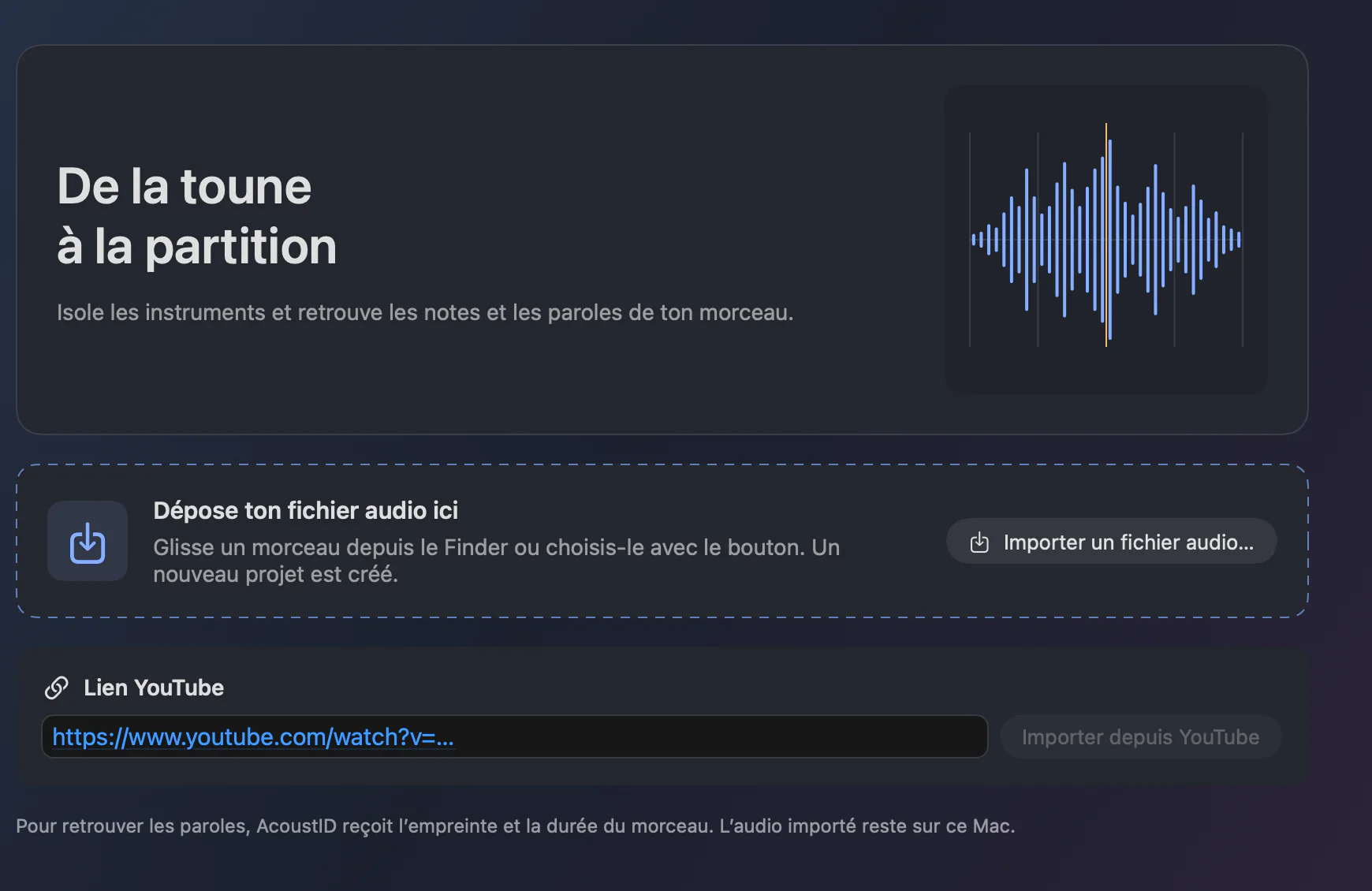
Drag a song from the Finder or paste a YouTube link. The analysis starts on its own: stem separation, note transcription and lyrics search. You can listen to the source as soon as it is imported.

  • A project is created for each song
  • Reopen a song that was already analysed, with its stems, scores and lyrics
  • Models load when the app opens

02 · Mix

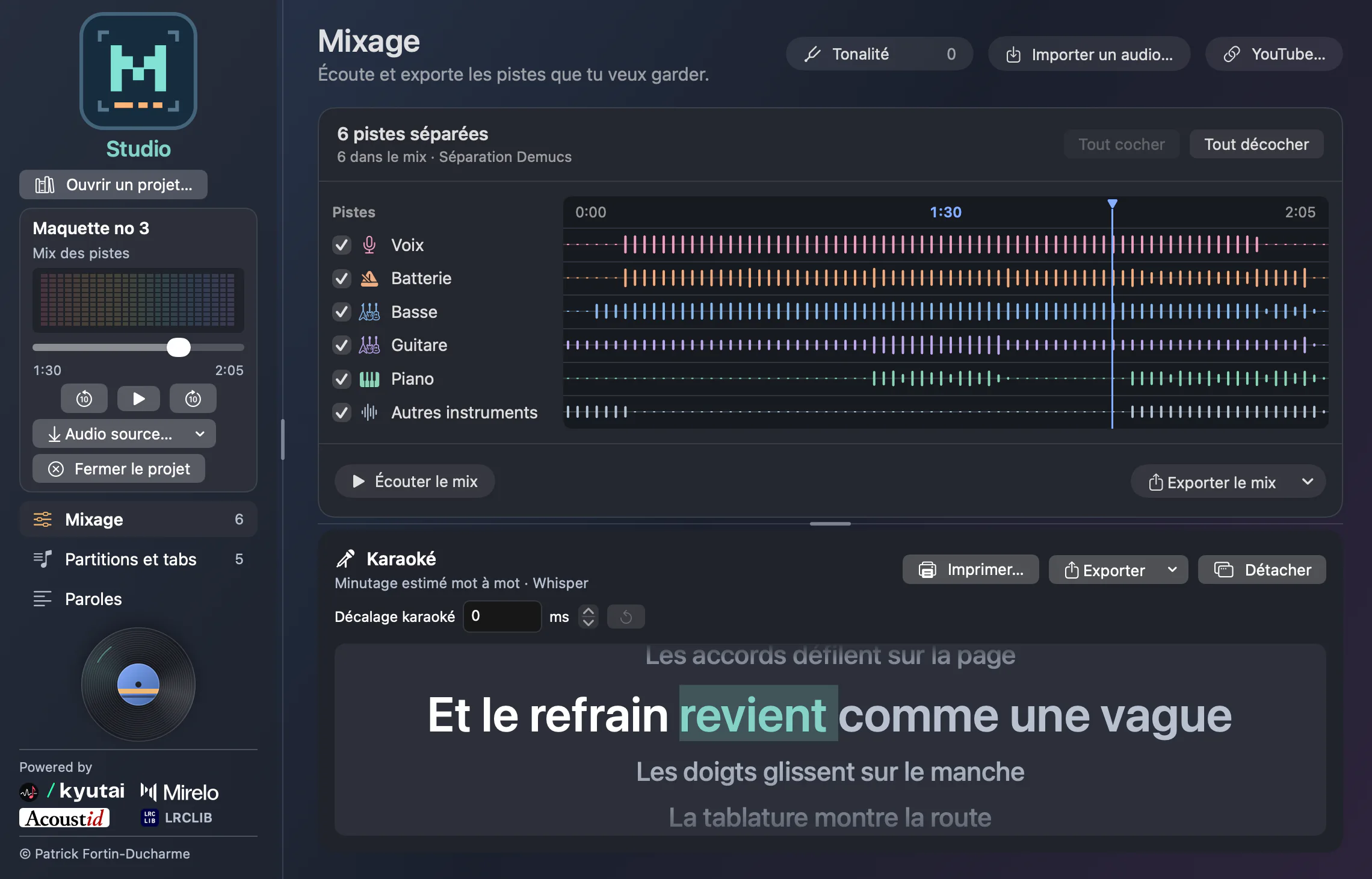
Six stems, one playhead

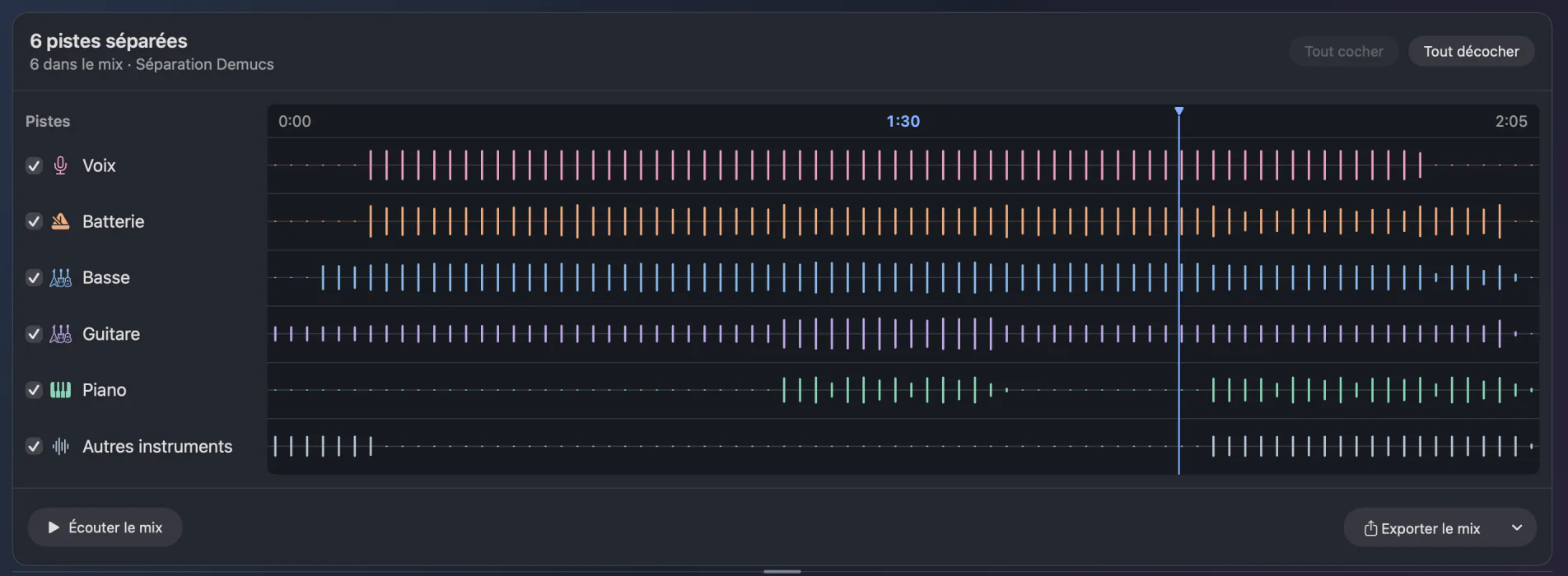
Demucs isolates the vocals, drums, bass, guitar, piano and the other instruments. Check the stems you want to keep and play over the rest, or finally hear what the bass is doing.

  • All the stems start on the same sample
  • Drag the playhead above the waveforms
  • Export the mix as MP3, WAV or in the format of the source

03 · Read

Scores and tabs, ready to play

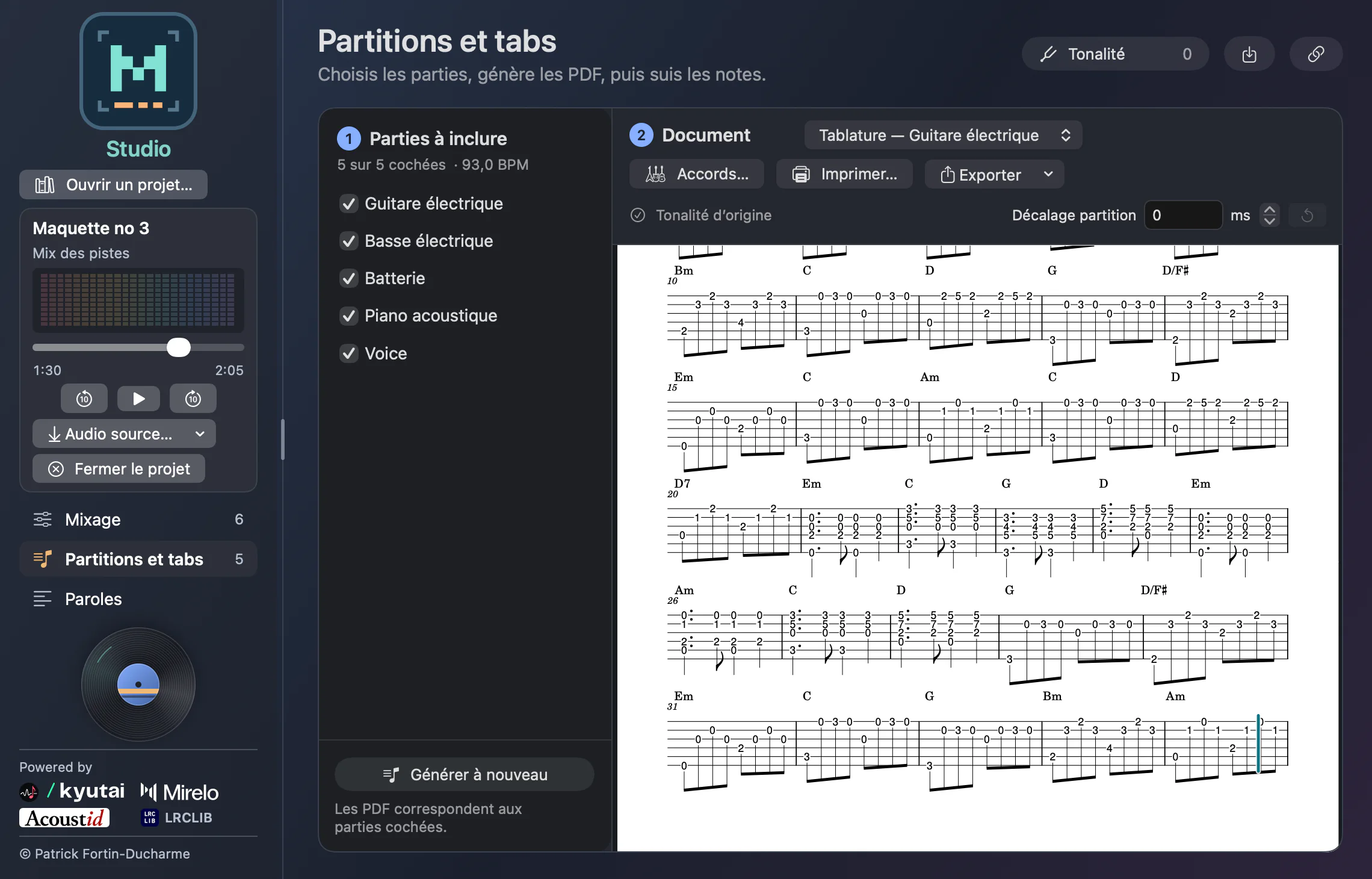
MuScriptor Large transcribes the notes of each part. The PDFs are prepared automatically, with chords above the measures and tablature for guitar and bass. During playback, a cursor follows the music on the page.

  • Check the parts to include, then generate again
  • Print or export as PDF, MusicXML and MIDI
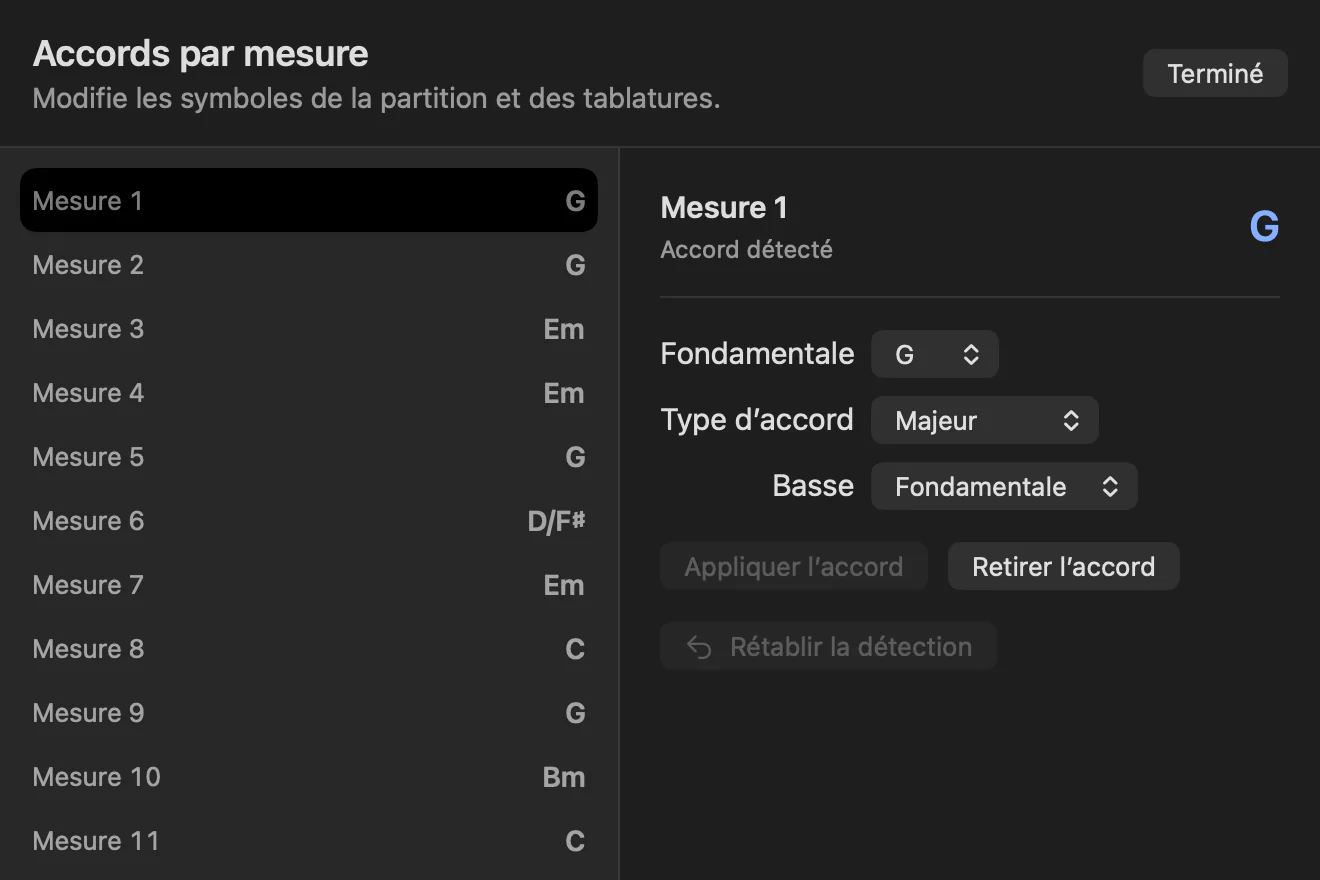
  • Correct the detected chords, measure by measure

Chords you can correct

Detection recognizes power chords, inversions and measures with two chords. When it gets one wrong, change the root, the quality or the bass note: the score and the tabs follow.

Change the key, keep the tempo

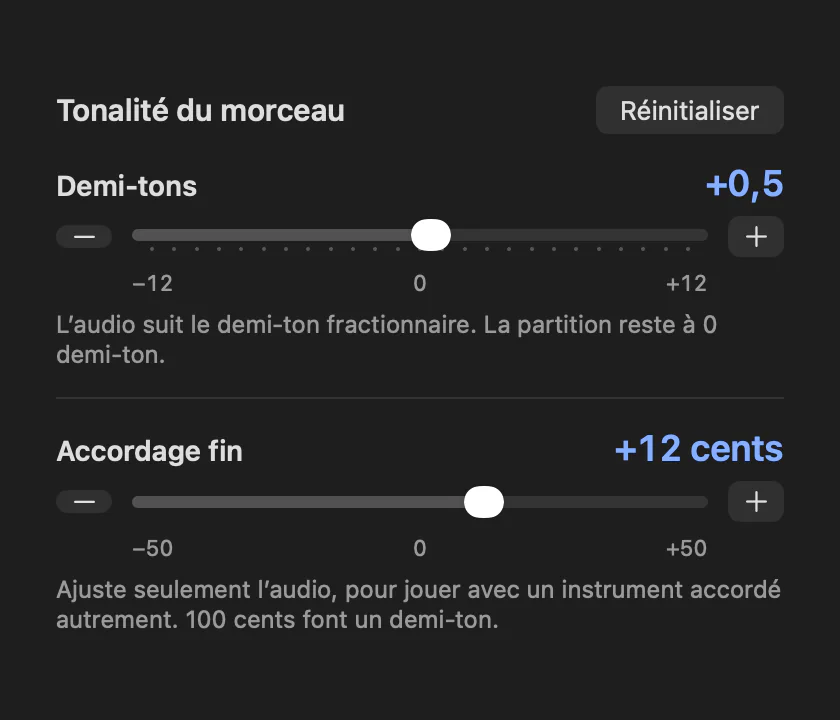
Transpose the audio by semitones, even fractional ones, and fine-tune from −50 to +50 cents to play along with an instrument tuned differently. The notes and chords of the scores follow the whole semitones.

04 · Sing

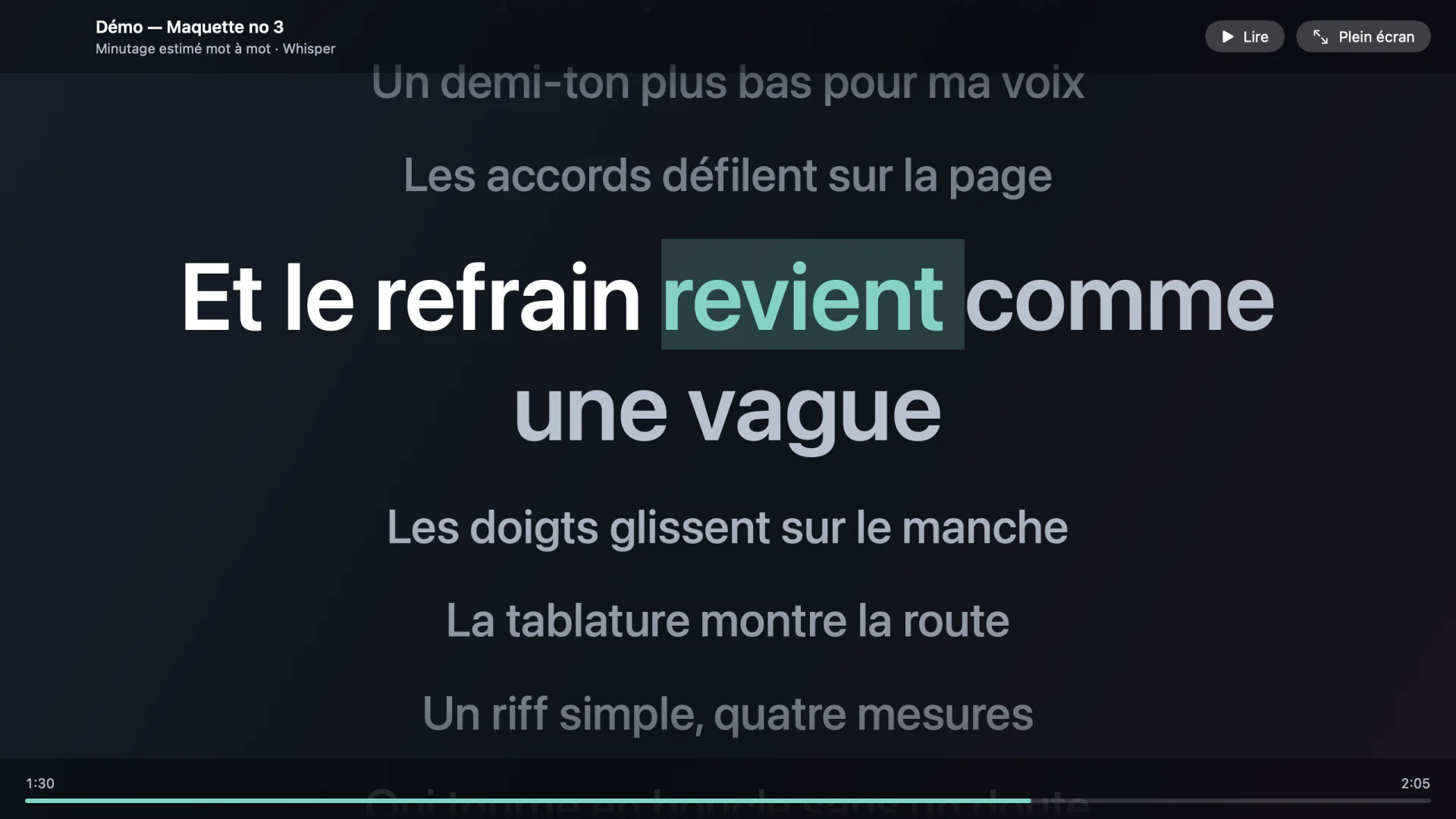
Word-by-word karaoke

Studio recognizes the song with AcoustID and looks up the text in LRCLIB. When the search finds nothing, Whisper transcribes the vocals on your Mac. The line being sung is shown large and each word lights up in turn.

  • Detach the karaoke into its own window, full screen on a second display
  • Print the lyrics or export them as text or as a synced LRC file
  • Adjust the offset when the lyrics run early or late

And also

  • Everything exports

    PDF, MusicXML and MIDI for the scores. MP3 or WAV for the mix. The source audio, untouched.

  • A project library

    Every analysed song stays within reach. Remove a project without losing your audio file.

  • Stems that stay aligned

    The six stems stay locked to the sample during playback, when you check them and when you seek.

  • A window that adapts

    Text, columns and buttons grow with the window. The sidebar can be resized.

  • Ready for the music stand

    Print the score, the tablature or the lyrics on screen, straight from the app.

  • Built-in updates

    Studio checks for updates and shows you what changes before installing them.

Screenshots taken in the app, with a demo song and demo lyrics. The app’s interface is in French.

Privacy

Your music stays on your Mac

Separation, transcription and karaoke run locally, with no account to create. The files you import never leave your computer.

What goes over the Internet

  • AcoustID receives an audio fingerprint and the duration of the song, to recognize it.
  • LRCLIB receives the title, the artist and the duration, to find the lyrics.
  • YouTube is contacted only when you paste a link.
  • The app checks whether an update is available.

Requirements

What you need

  • Apple silicon

    A Mac with an M1 chip or later

  • macOS 15

    or a later version

  • 8 GB

    of disk space, roughly, for the app and its models

  • 16 GB

    of memory recommended

Good to know

  • The app’s interface is in French for now.
  • Under 24 GB of memory, analyses run one at a time to keep memory use down.
  • Stems and scores are estimates: dense arrangements and sung lyrics may need corrections.

Credits

Built on the work of others

Studio brings together open models and services. Thank you to the teams who build them.

Also on board: Demucs (Meta Research), Whisper (OpenAI), Beat This! (JKU), MuseScore Studio, FFmpeg, yt-dlp, Sparkle. The weights of the MuScriptor Large model are distributed under the CC BY-NC 4.0 licence.

Coming soon to your Mac

MuScriptor Studio is distributed privately while it is being polished. The public release is on its way.

Coming soon

See what’s new